HDMI LCD Displays
Plug-and-play displays for SBCs and PCs.
1 matching display module
Refine in Display Finder →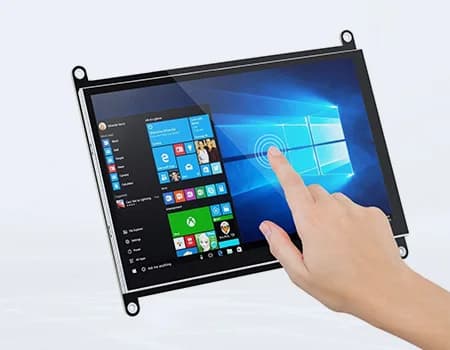
When HDMI makes sense
HDMI displays are ideal when time-to-market beats unit cost: prototypes, low-volume equipment, kiosks built on mini PCs, or when the host board has no native display output you can use.
What is inside
An HDMI display is a standard panel plus a controller board (scaler) that receives HDMI and drives the panel. Touch usually connects over USB as a HID device, so it works on Windows, Linux and Android without drivers.
Things to check
- Native resolution: send the panel’s native resolution. Scaling a 1080p signal onto a 1024×600 panel blurs text.
- EDID: a good controller board reports the correct native mode, so the host picks it automatically.
- Power: driver board plus backlight can draw 3–10 W at 7″–10.1″. Budget the supply accordingly.
- Mounting: open-frame versions with cover glass are easier to integrate into equipment than consumer monitors.
HDMI vs native interface
For volumes above a few hundred units per year, moving to a native MIPI DSI or LVDS connection usually saves cost and thickness. See MIPI DSI displays and LVDS displays.
Frequently asked questions
Does an HDMI touchscreen need drivers?
Usually not. The touch panel connects over USB as a standard HID device, which Windows, Linux and Android support out of the box.
Can a Raspberry Pi drive an HDMI LCD?
Yes, any Raspberry Pi with HDMI output works. Set the output to the panel’s native resolution for the sharpest image.
Is HDMI or MIPI DSI better for a Raspberry Pi product?
HDMI is faster to integrate; MIPI DSI is thinner and cheaper in volume and leaves HDMI free for an external monitor.
Not sure which display fits your design?
Send us your size, interface and host processor. A display engineer replies within 12 hours with 2–3 options, datasheets and init code. Samples from 1 pc.