Start here: match the symptom
Symptom | Most likely cause | Go to |
|---|---|---|
Backlight on, screen black or white | Init table never reached the panel; reset or CS not driven | Step 1 |
Only the vendor's demo lights the panel | Your init table does not match this glass | Step 2 |
Picture drifts or scrolls sideways, worse with Wi-Fi, OTA or flash writes | PSRAM bandwidth too low for the pixel clock | Step 3 |
Frame buffer allocation fails, or a watchdog reset during panel init | Frame buffer not in PSRAM, or RGB pins collide with PSRAM pins | Step 4 |
Red and blue swapped, colours inverted or one channel wrong | Colour order, inversion setting or data pin order | Step 5 |
Tearing during animation, or 90° rotation does not work | Single frame buffer; the ST7701S cannot swap axes | Step 6 |
How an ST7701S RGB panel is driven
The ST7701S has no frame memory. Most RGB modules use two links: a 3-wire SPI port that carries the init commands, and a parallel RGB bus that carries the pixels. Espressif's esp_lcd_st7701 component describes exactly this "3-wire SPI + RGB" arrangement. The same chip also appears in MIPI DSI modules; this guide covers the RGB version.
Because the panel stores nothing, the ESP32-S3 has to stream every frame from a frame buffer, all the time. A 480×480 frame in RGB565 is 460,800 bytes (calculated: 480 × 480 × 2). The ESP32-S3 has 512 KB of internal SRAM in total, so in practice the frame buffer lives in PSRAM, and PSRAM bandwidth decides whether the picture stays still. Most of the problems below come back to that.
Step 1: backlight on, nothing on screen
A lit backlight only proves the backlight GPIO works. The usual causes, covered in detail on our ST7701S driver page:
- The init table was not sent over the SPI pins (CS, SCK, SDA) before the RGB bus started.
- RST or CS sits on an I2C IO expander (TCA9554, CH422G and similar) that your code never configured. Espressif's component supports driving the 3-wire SPI lines through an IO expander for this reason.
- The reset wait is too short. ESPHome raised the ST7701S reset delay to 50 ms in PR #17646 after the shorter delay caused failed initialisation.
One more trap is specific to boards that share pins: if the 3-wire SPI lines are wired to some of the RGB data pins, Espressif's driver must be told with enable_io_multiplex = 1, so it releases those pins after the init table is sent. With that flag set, the driver's mirror_by_cmd option no longer works.
Step 2: only the vendor's demo works
The ST7701S init table differs from panel to panel. ESPHome alone carries four different ST7701S tables for four boards, and Espressif's driver takes a custom table for the same reason. The tables are long runs of vendor commands; Espressif's example shows the page-select command 0xFF followed by 0x77 0x01 0x00 0x00 and a page byte (0x13, then 0x10). Matching the chip name is not enough: use the table that belongs to your glass.
- ESP-IDF:
esp_lcd_st7701has a built-in default table, and you can pass your own throughinit_cmdsinst7701_vendor_config_t. Paste the table from the demo that works. - ESPHome: the generic
ST7701Smodel inmipi_rgbships with an empty init table. Only the board presets (for exampleMAKERFABS-4,SEEED-INDICATOR-D1,UEDX48480021-MD80ET,ZX2D10GE01R-V4848) carry a vendor table. For your own panel, put the vendor's table ininit_sequence.
When sourcing panels, ask the supplier for the init code together with the datasheet, and again whenever the panel revision changes.
Step 3: the picture drifts or scrolls sideways
Espressif's FAQ gives two causes for an RGB picture that drifts on the ESP32-S3: the pixel clock (PCLK) is higher than the PSRAM or GDMA bandwidth can feed, or PSRAM is disabled while the chip writes to flash, which happens during Wi-Fi, OTA and Bluetooth LE activity.
Espressif's measured PCLK ceilings, from the same FAQ:
PSRAM | Highest PCLK (Espressif, limited testing) | Covers the common 16 MHz ST7701S clock? | 480×480 frame rate you can run (calculated) |
|---|---|---|---|
Quad PSRAM, 80 MHz | about 11 MHz | No | about 41 Hz at 11 MHz |
Octal PSRAM, 80 MHz | about 22 MHz | Yes | about 60 Hz at 16 MHz |
Octal PSRAM, 120 MHz | about 30 MHz | Yes | about 60 Hz at 16 MHz |
Both Espressif's 480×480 ST7701 timing and ESPHome's ST7701S model use a 16 MHz pixel clock, with 10/10/20 horizontal and 10/10/10 vertical pulse, back porch and front porch. That gives 520 × 510 clocks per frame, about 60 Hz (calculated). 16 MHz sits above the Quad PSRAM figure, so a board with Quad PSRAM that drifts at 16 MHz is behaving as expected. Lower the clock or move to Octal PSRAM. Espressif does not recommend Quad PSRAM for RGB screens.
Fixes Espressif lists, in the order to try them:
- Enable
CONFIG_SPIRAM_FETCH_INSTRUCTIONSandCONFIG_SPIRAM_RODATA. - If the drift appears during Wi-Fi, BLE or flash writes, use PSRAM XIP (
CONFIG_SPIRAM_XIP_FROM_PSRAM) together with bounce buffers (bounce_buffer_size_px). The FAQ says XIP on PSRAM needs ESP-IDF release/v5.0 or newer; v4.4 supports it only through a patch, which Espressif does not recommend. Check which ESP-IDF version your Arduino core is built on. Bounce buffers are two small buffers in internal RAM that the CPU refills from the PSRAM frame buffer. They allow a higher PCLK and ride out short bandwidth spikes, at the cost of noticeably more CPU load. - With bounce buffers, set
CONFIG_ESP32S3_DATA_CACHE_LINE_64B=y; the FAQ warns the screen may drift otherwise. - Before a short flash operation, such as around a Wi-Fi connection, drop the pixel clock with
esp_lcd_rgb_panel_set_pclk()(Espressif's example is 6 MHz), wait for the next VSYNC, then restore it. The screen may briefly flash blank. - Avoid long critical sections that disable interrupts, and consider
CONFIG_COMPILER_OPTIMIZATION_PERF. - As a last resort,
CONFIG_LCD_RGB_RESTART_IN_VSYNCoresp_lcd_rgb_panel_restart()resets the RGB timing at the next VSYNC so a shift does not become permanent. Espressif lists the Kconfig option as not recommended: it cannot fully avoid the drift and may lower the frame rate.
Step 4: frame buffer and memory errors
Espressif's FAQ notes that a full-screen frame buffer often exceeds the internal SRAM, so:
- Enable PSRAM and set
flags.fb_in_psraminesp_lcd_rgb_panel_config_t. Espressif recommends Octal PSRAM at 80 MHz or above. - Budget for double buffering if you want it: two 480×480 RGB565 buffers are 921,600 bytes (calculated), and both must be in PSRAM.
- If the chip halts or resets with
TG1WDT_SYS_RSTinsideesp_lcd_new_rgb_panel()oresp_lcd_panel_init(), Espressif's FAQ says to check whether any RGB pin is also used by the module's PSRAM. On the ESP32-S3R8, avoid GPIO35, GPIO36 and GPIO37.
Step 5: wrong colours
Espressif's first test: fill the screen with solid red, then green, then blue, and note which ones come out wrong.
What you see | Cause | Fix |
|---|---|---|
Red and blue swapped, green correct | RGB/BGR order | ESP-IDF: |
Whole picture inverted, like a negative | Inversion set in the init table | Check the table for an inversion command; ESPHome also has |
Colours shifted, banding, a channel missing | Data pins in the wrong order | ESPHome's |
One setting the two reference drivers disagree on is the PCLK edge: Espressif's 480×480 timing uses pclk_active_neg = false, while ESPHome's ST7701S model uses pclk_inverted: true. Take it from your panel's datasheet and set it explicitly instead of relying on a default.
Also keep the panel's pixel format (command 3Ah, set from bits_per_pixel in Espressif's driver) consistent with a 16-bit RGB565 bus.
Step 6: tearing and rotation
- Tearing: ESP-IDF's simplest fix is two full frame buffers in PSRAM (
num_fbs = 2); the driver switches buffers only after a frame has been fully sent. For LVGL, Espressif's FAQ recommends theesp_lvgl_adaptercomponent when you need better rotation performance and anti-tearing behaviour. - Rotation: ESPHome's source notes that the ST7701S never supports axis swapping, so 90° and 270° rotation must be done in software. Horizontal mirroring is a panel command (
C7h), and vertical mirroring only works when the panel uses the full 864-line height.
Choosing a panel for a new design
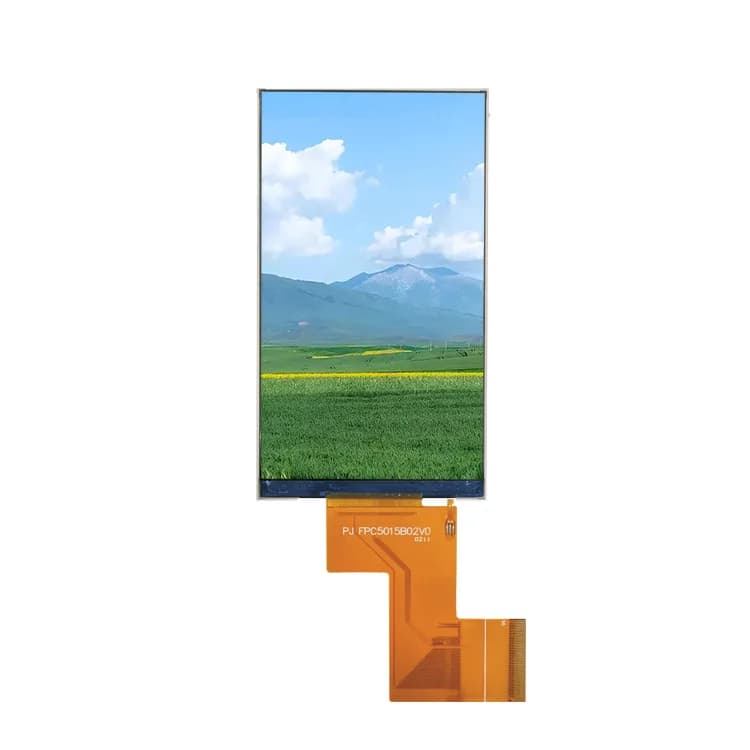
If you are still selecting hardware, start from the memory budget rather than the panel. See Best display for ESP32-S3, the RGB interface page, and our square and round display ranges. Our ST7701S module is the 4.95″ 480×854 RGB panel PJ5015B04. For another glass or outline, ask an engineer and include your PSRAM type and target pixel clock.
Frequently asked questions
Why does my ST7701S screen drift when Wi-Fi is on?
Espressif's FAQ gives two causes: the pixel clock is higher than the PSRAM or GDMA bandwidth can feed, or PSRAM is disabled while the chip writes to flash during Wi-Fi, OTA or Bluetooth LE activity. Enable CONFIG_SPIRAM_FETCH_INSTRUCTIONS and CONFIG_SPIRAM_RODATA, and for Wi-Fi or flash writes use XIP on PSRAM with bounce buffers (ESP-IDF release/v5.0 or newer).
What pixel clock can an ESP32-S3 drive a 480×480 ST7701S panel at?
Espressif's limited testing found ceilings of about 11 MHz with 80 MHz Quad PSRAM, 22 MHz with 80 MHz Octal PSRAM and 30 MHz with 120 MHz Octal PSRAM. The common ST7701S default of 16 MHz gives about 60 Hz at 480×480 (calculated), which fits Octal PSRAM but not Quad PSRAM.
Why are red and blue swapped on my ST7701S display?
If red and blue are exchanged but green is correct, the RGB/BGR order is wrong. In ESP-IDF set rgb_ele_order (sent as command 36h by esp_lcd_st7701); in ESPHome set color_order. If colours are shifted or a channel is missing instead, check the order of the 16 RGB data pins.
Can an ST7701S panel be rotated 90 degrees?
Not in the panel. ESPHome's driver notes that the ST7701S never supports axis swapping, so 90° and 270° rotation must be done in software, for example in LVGL. Horizontal mirroring is a panel command (C7h).
Sources
- Espressif ESP-FAQ: LCD (RGB drift, PCLK limits, colour and watchdog questions)
- ESP-IDF v6.1.1: RGB LCD panel driver for ESP32-S3 (frame buffer modes, bounce buffers, restart API)
- Espressif esp-iot-solution: esp_lcd_st7701 README (commit f721a40)
- Espressif esp-iot-solution: esp_lcd_st7701.h, 480×480 RGB timing (commit f721a40)
- ESPHome source: mipi_rgb ST7701S model (commit f72218c)
- ESPHome source: mipi_rgb display.py, data pin order (commit f72218c)
- ESPHome PR #17646: fix SWRESET delay for st7701s
- Sitronix ST7701S datasheet v1.4 (hosted by Waveshare)
- Espressif ESP32-S3 datasheet (512 KB SRAM)