10.1 Inch TFT LCD Displays
10.1″ panels for tablets, control panels and kiosks, in MIPI DSI, LVDS and RGB.
1 matching display module
Refine in Display Finder →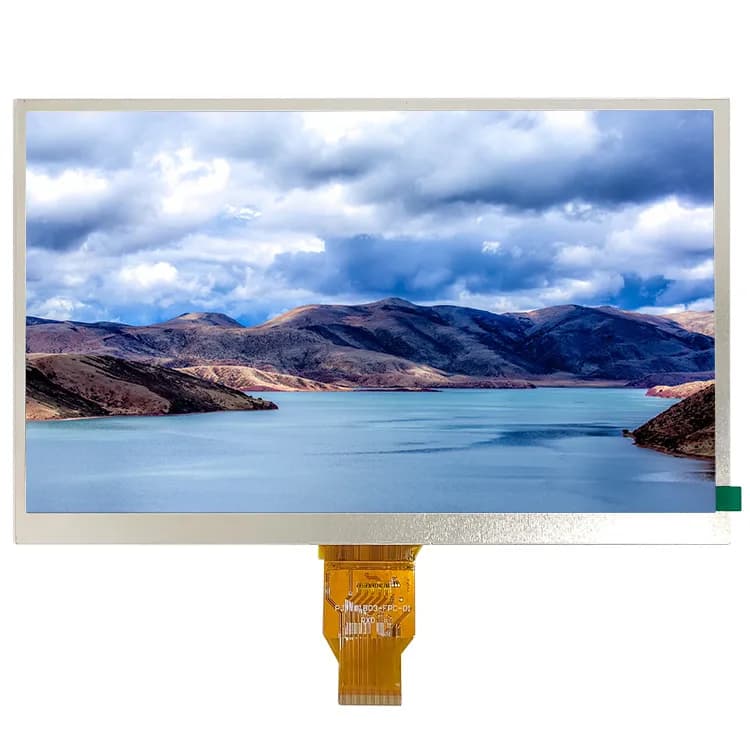
More standard models (5)
Full catalog →From our direct factories’ product tables. Datasheets and samples on request.
| Model | Size | Resolution | Interface | Backlight options (cd/m²) | FPC pins | Viewing | Touch | Outline (mm) | |
|---|---|---|---|---|---|---|---|---|---|
| B1097XN01/B1097XN02 PengJi | 9.7″ | 1024×768 | LVDS | 200 | 30 | All (IPS-type) | Optional | — | Request datasheet |
| PJT101P02H28-600P40N PengJi | 10.1″ | 1280×800 | LVDS | 200-800 | 50 | All (IPS-type) | Optional | 227.56 × 148.2 × 2.5 | Request datasheet |
| PJT101D01H50-170P50N PengJi | 10.1″ | 1024×600 | RGB (parallel) | 200-400 | 50 | 6 o'clock | Optional | 222.72 × 125.28 × 3.5/5.7 | Request datasheet |
| PJ10109I02-25H40P200 PengJi | 10.1″ | 800×1280 | MIPI DSI | 200 | 40 | All (IPS-type) | — | 143 × 228.6 × 2.5 | Request datasheet |
| PJT104H01-500P60N PengJi | 10.4″ | 1024×768 | LVDS | 200-800 | 60 | 6 o'clock | Optional | 236 × 174.3 × 7.4 | Request datasheet |
A brightness range means the module can be built with different backlights. Tell us the level you need.
Where 10.1-inch displays fit
10.1″ is the size where an embedded product starts to feel like a tablet. It is popular for wall-mounted control panels, point-of-sale terminals, medical carts, EV chargers and industrial HMIs that show trend charts.
Resolution and interface
Resolution | Typical interface | Typical host |
|---|---|---|
1024×600 | LVDS, RGB | Low-cost SoCs, legacy HMIs |
1280×800 | MIPI DSI or LVDS | RK3566/RK3568, i.MX8M, Allwinner A133 |
1920×1200 | MIPI DSI (4-lane) or eDP | RK3588, x86 |
Check whether your panel is portrait-native. Many 10.1″ MIPI panels are 800×1280, so the UI must rotate in the display driver or compositor. Rotating in the GPU is cheap; rotating in software on a weak SoC is not.
Mechanical choices
At this size the cover glass, bezel and mounting method decide most of the industrial design. Decide early between:
- Open-frame module: panel plus backlight, you design the bezel.
- Bonded cover-glass module: the panel is optically bonded to a printed cover glass, which gives a flush front and better sunlight readability.
- Complete monitor: housing and driver board included, the fastest route for low volumes.
For outdoor use see sunlight readable displays. For interface trade-offs read MIPI DSI vs LVDS vs eDP.
Replacing an existing 10.1″ panel
Maintaining a design built on a panel from another manufacturer? These pages list each panel's key specifications and the modules from our direct factories that can replace it:
- AUO G101STN01 (10.1″, 1024×600, LVDS)
- Innolux G101ICE-L01 (10.1″, 1280×800, LVDS)
- Innolux AT102TN03 (10.2″, 800×480, RGB)
- AUO G104SN02 V2 (10.4″, 800×600, LVDS)
- AUO G104XVN01.0 (10.4″, 1024×768, LVDS)
- NEC NL6448BC33-71 (10.4″, 640×480, LVDS)
- Sharp LQ104S1DG21 (10.4″, 800×600, RGB)
- Sharp LQ104V1DG21 (10.4″, 640×480, RGB)
For other sizes and end-of-life models, use the panel replacement finder.
Frequently asked questions
Is 1280×800 enough for a 10.1-inch display?
For control panels and HMIs, 1280×800 (about 149 PPI) is sharp enough at arm’s length. Choose 1920×1200 for media playback, dense dashboards or when users view the screen closely.
Why does my 10.1-inch MIPI display show the image rotated?
Many 10.1″ MIPI panels are portrait-native (800×1280). Set the rotation in the device tree, the DRM/KMS driver or your UI framework rather than rotating the image in software.
Can I connect a 10.1-inch LVDS panel to HDMI?
Yes, through an LVDS controller board that converts HDMI to LVDS. It is the fastest way to prototype, but for production a native LVDS or MIPI output on the SoC is cheaper and thinner.
Not sure which display fits your design?
Send us your size, interface and host processor. A display engineer replies within 12 hours with 2–3 options, datasheets and init code. Samples from 1 pc.